There is a photo on your phone right now that you keep coming back to.
Maybe it is your dog looking uncharacteristically majestic at the park. The candid from your wedding where the light hit just right. Or the last really good picture you have of someone you miss.
You have thought about printing it. But a print is just the photo again, bigger. A painting is something else entirely: an artist studies your moment and rebuilds it brushstroke by brushstroke, until it becomes the kind of thing guests stop and stare at.
The good news is that figuring out how to turn a photo into a painting has never been easier. The harder part is picking a method, because there are several, and they range from a free app and thirty seconds of your time to a professional artist, real oil paint, and a couple of weeks of anticipation.
Here are the four most popular ways to do it right now, what each one actually gets you, and how to choose the one that fits your photo.
1. Run It Through an AI App or Filter
If you want a result in under a minute, an AI painting app is the fastest route from photo to painting. Upload your picture, tap a style (oil, watercolor, pop art, charcoal), and watch the pixels rearrange themselves into something that looks vaguely painterly.
This route has real charm for the right job:
- It is instant and nearly free. Perfect for social posts, profile pictures, or testing which photo has painting potential.
- It is endlessly experimental. Try your dog as a Renaissance noble, then as a watercolor, then as a comic panel, all before lunch.
- It is low commitment. Nobody frames an AI filter and hangs it over the fireplace, and that is exactly the point.
What you will not get is texture, nuance, or longevity. Up close, AI paintings tend to melt into strange details: an extra finger, a collar that becomes part of the dog. Fun for a screen, not for a wall.
2. Print the Photo Directly on Canvas
Canvas printing sits one step up from a filter. Your photograph gets printed onto actual canvas fabric and stretched over a wooden frame, so it at least looks like it belongs in a gallery.
It is quick, affordable, and works well for landscapes and travel shots. But be honest with yourself about what it is: a photo with a fabric texture, not a painting. There is no interpretation, no brushwork, and no artist deciding that the light on your daughter’s face deserves more warmth than the camera captured.
If the goal is decoration, canvas prints do the job. If the goal is a gift that makes someone tear up, keep reading.
3. Hire a Freelance Digital Artist
A digital artist paints your photo by hand on a tablet, then sends you a high-resolution file you can print anywhere. You get genuine artistic judgment, real skill, and a price that usually lands between the app and the oil painting.
The trade-offs are worth knowing:
- Quality varies wildly. Marketplaces are full of talented artists and, right next to them, people running your photo through the same AI filter you could have used yourself.
- The final piece is still a print. However beautiful the digital painting, what hangs on your wall is ink on paper or canvas.
- Revisions cost extra. Many freelancers limit how many changes you can request.
4. Commission a Hand-Painted Portrait (The Heirloom Route)
This is the oldest method on the list, and the one people mean when they say they want to turn a photo into a real painting. A trained artist looks at your photo, mixes actual paint, and recreates it on canvas: the brushstrokes, the texture, the small human decisions that make a portrait feel alive.
A hand-painted custom pet portrait captures the goofy tilt of your dog’s head in a way no filter can. A family portrait painting becomes the thing your kids argue about inheriting someday. A wedding portrait painting turns the best day of your life into the best thing on your wall. And a memorial portrait gives you back someone you thought you had lost to time, every single morning.
It costs more than an app and takes longer than a filter. It also outlasts both by about a century.
How It Works When You Order From AuroArt
Commissioning a painting sounds fancy and complicated. At AuroArt it comes down to four steps, and the hardest one is choosing which photo to use:
- Pick your photo and your medium. Choose from seven: oil, watercolor, acrylic, charcoal, pencil, colored pencil, or pastel. Not sure which suits your photo? The team will tell you honestly.
- A professional artist paints it by hand. No filters, no printing, no shortcuts. Real paint on real canvas.
- You approve a preview before anything ships. You see the finished painting first. Want the background softened or the smile adjusted? Revisions happen here, not after it is on your wall.
- It arrives at your door. Shipping is free anywhere in the United States, with prices starting at $195.
The whole journey, from uploading your photo to hanging the painting, is laid out in detail on the how it works page.
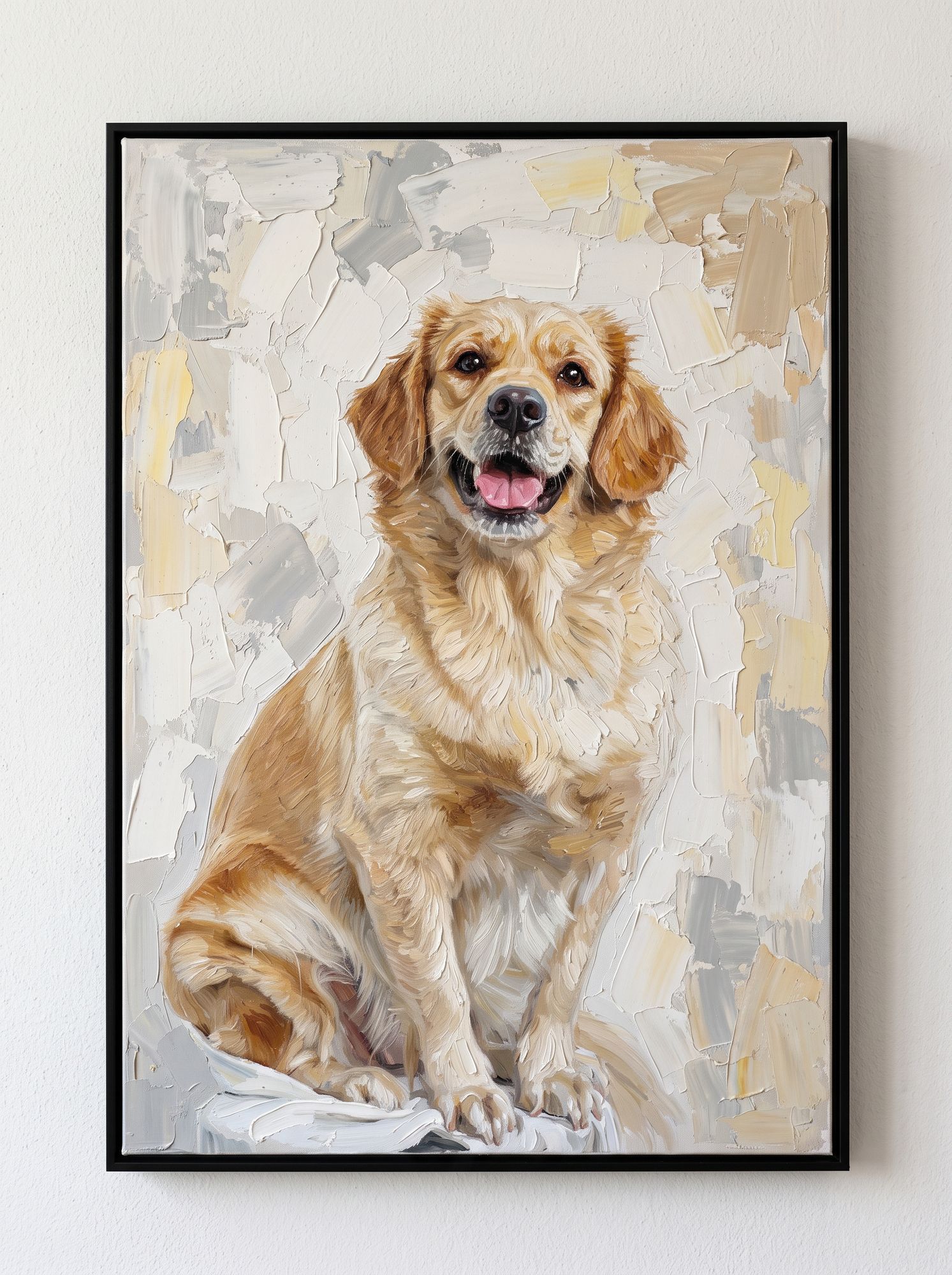
One honest tip: pet photos are the gateway. Most customers start with a single portrait of the dog, see the result, and come back for the whole family. If you have dog and cat portraits in mind, you are in good company.
How to Choose the Right Photo
Whichever method you pick, the photo you start with decides eighty percent of the result. A few rules of thumb:
- Lighting beats resolution. A slightly grainy photo with warm, natural light will paint better than a sharp photo taken under harsh fluorescent bulbs.
- Faces and eyes come first. If the eyes are clear and catch the light, the painting will have life. If they are blurry or shadowed, even a master artist has to guess.
- Candid beats posed. The photo where everyone is mid-laugh makes a better painting than the one where everyone is mid-freeze.
- Blurry is not a dealbreaker. Hand-painted portraits can rebuild detail that a filter cannot. Old, faded, and imperfect photos are often the ones most worth painting.
- Nobody has to be in the same photo. Want your grandfather, who passed away years ago, painted beside your newborn? Artists can combine people from separate photos into one natural scene, matched for light and scale.
What Size Should You Order?
Think about where the painting will live, not where it will be unboxed. A 12 x 16 inch piece suits a desk, shelf, or hallway gallery wall. A 20 x 24 or larger earns its place over the sofa or fireplace, especially for multi-subject family pieces. When in doubt, painter’s tape on the wall is the cheapest design consultation you will ever get. Full dimensions and options are on the portrait pricing page.
The Bottom Line
There is no wrong way to turn a photo into a painting. There is only the way that matches what the photo means to you.
Need something fast and fun for Instagram? An AI filter delivers in seconds. Decorating a rental on a budget? Canvas prints are fine. But if this is the photo, the one that matters, give it to an artist who will treat it that way.
Start with your favorite photo, pick a medium, and see your preview before you commit to anything. The wall space above your sofa has been waiting long enough.
Upload your favorite photo, choose from seven mediums, and approve the preview before anything ships. From $195 with free US shipping.
Frequently Asked Questions
How much does it cost to turn a photo into a painting?
It depends on the method. AI apps are free or a few dollars, canvas prints run about $30 to $80, digital artists typically charge $50 to $150, and hand-painted portraits start around $195, with size, medium, and the number of subjects affecting the final price.
How long does a custom painting from a photo take?
Apps and filters are instant. A hand-painted portrait usually takes one to three weeks including drying and shipping, and most studios offer rush options for birthdays, anniversaries, and holidays.
Can you combine people from different photos into one painting?
Yes. This is called a compilation portrait. Artists merge separate photos into a single scene, matching lighting, scale, and style so it looks like everyone was standing together all along.
What size painting should I order?
For a desk or shelf, 12 x 16 inches works well. For a statement piece above a sofa or fireplace, go 20 x 24 inches or larger. Tape the outline on your wall first if you are unsure.
Is a hand-painted portrait better than an AI painting?
They serve different purposes. AI paintings are instant and free, ideal for casual digital use. Hand-painted portraits offer real texture, archival materials, and emotional weight that make them worth displaying for decades.
Where can I get a photo turned into a painting?
Right here. AuroArt turns your photos into 100 percent hand-painted portraits in seven mediums, with a preview approval step and free US shipping. Upload your photo on the order page to get started.